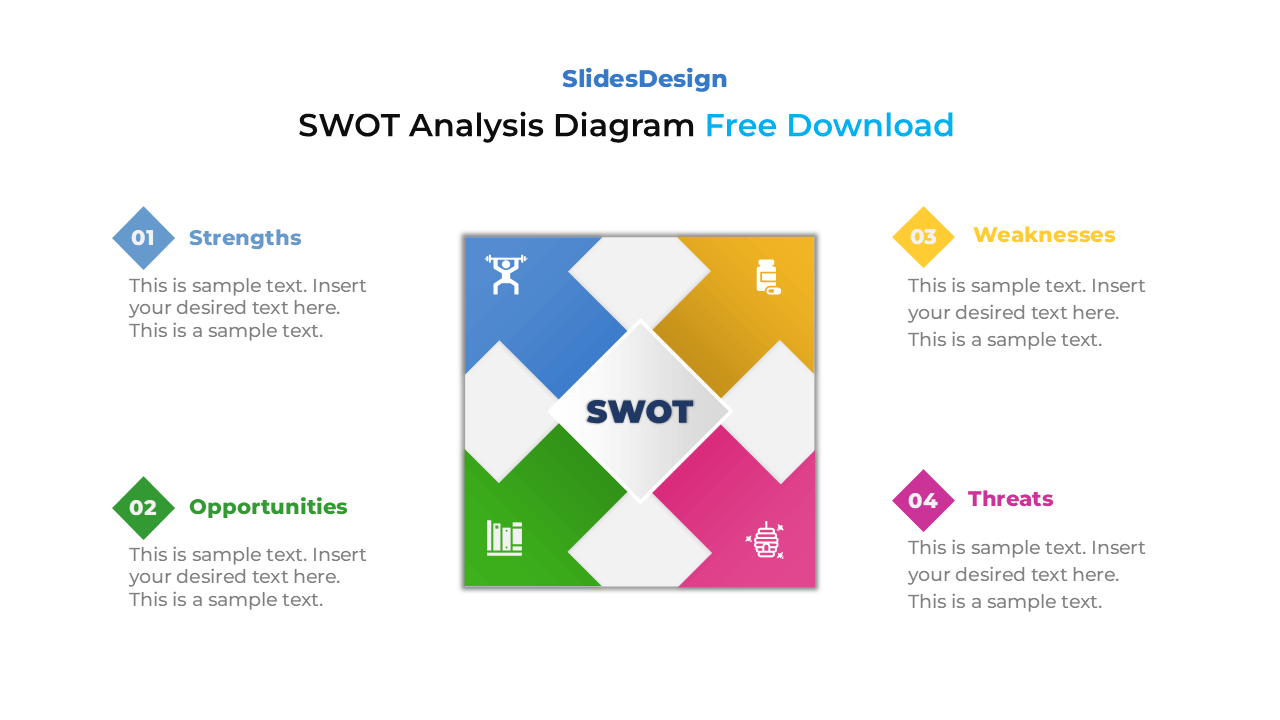
Want to present your company’s strengths, weaknesses, opportunities, and threats in a clean and professional way? This SWOT Analysis Diagram is the perfect visual tool for strategic planning and business analysis. Each section is color-coded and clearly labeled, helping your audience instantly grasp your key insights.
Ideal for corporate strategy meetings, marketing reviews, or project evaluations, this template is fully editable in both PowerPoint and Google Slides. You can easily adjust colors, icons, and text to match your brand and presentation theme — and yes, it’s 100% free to download.
Comes with 2 unique slide layouts (light and dark background versions)
Features four interlocking quadrants representing Strengths, Weaknesses, Opportunities, and Threats
Fully editable in PowerPoint (PPTX) and Google Slides
Easy to customize colors, fonts, and icons to fit your brand identity
Available in both Standard (4:3) and Widescreen (16:9) formats
Perfectly aligned design ensures clean and balanced visuals
Includes editable text boxes and icons for clear, structured content
Suitable for business, education, and professional use
Corporate SWOT Analysis or Strategic Planning
Marketing and Brand Positioning Presentations
Competitor or Market Evaluation Reports
Startup Pitch Decks or Business Plans
Personal Development or Project Review Slides
Classroom or Training Material for Business Students
Yes! You can fully customize all colors, shapes, icons, and text in PowerPoint or Google Slides. Adjust each section to match your company’s brand palette or your presentation style.
Absolutely. The SWOT Analysis Diagram works seamlessly in both PowerPoint and Google Slides, allowing easy editing and cloud collaboration.

Payment isn’t required,
but donations are always appreciated!
Your donation goes a long way to helping us run slidesdesign.com! 😊