Bring your workflow and teamwork concepts to life with this Gear Infographic Template.
The design features a set of colorful interlocking gears — each representing a process, team, or component working together to create motion and progress.
This visualization is ideal for explaining business processes, organizational systems, or engineering mechanisms where multiple parts contribute to a single outcome.
In presentations, gears are a universal metaphor for collaboration, synchronization, and continuous improvement. Whether you’re showing company departments, production stages, or innovation cycles, this template helps your audience instantly grasp the connection between each element.
You can fully edit the colors, sizes, and arrangement of the gears to fit your theme. Each gear operates as an independent shape, allowing you to label, recolor, or animate them easily in PowerPoint or Google Slides. The modern flat style ensures your visuals look clean, balanced, and professional — perfect for both corporate and educational uses.
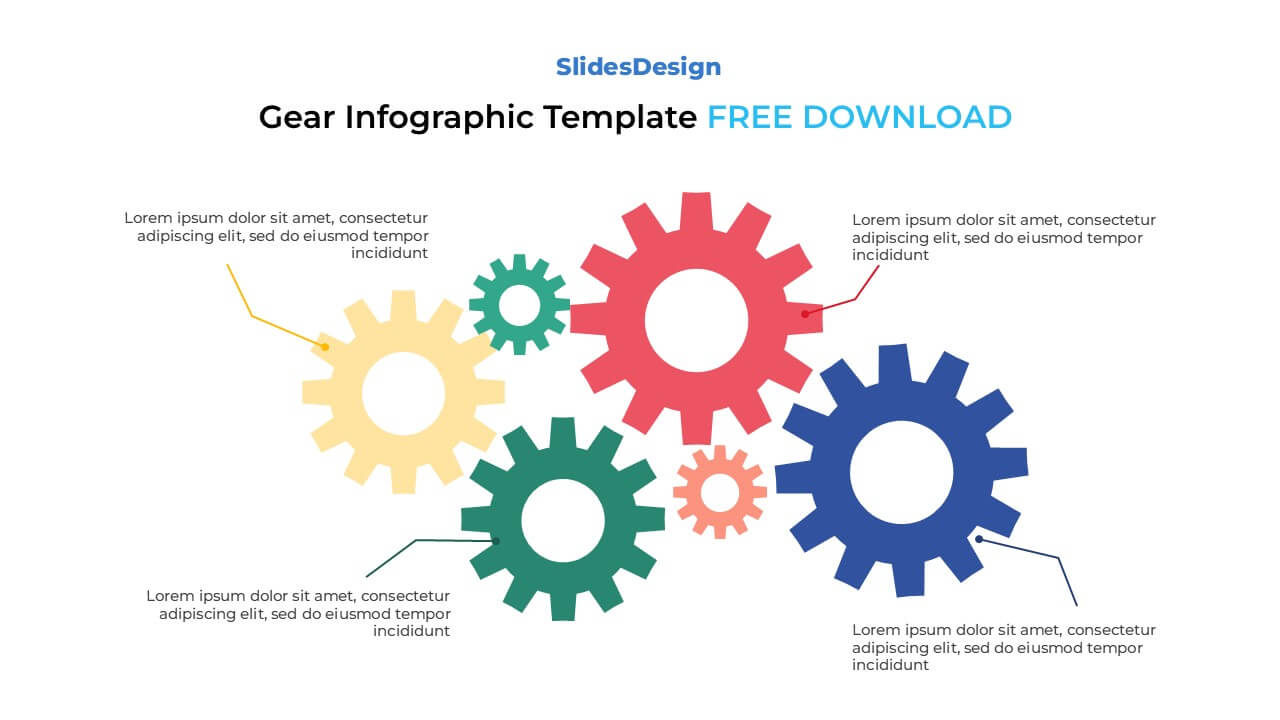
5 interlocking gears representing processes or components
Fully editable in PowerPoint (PPTX) and Google Slides
Ideal for teamwork, workflow, or process visualization
Adjustable color palette and layout for brand alignment
Vector-based shapes — scale up or down without losing quality
Smooth, modern, and flat infographic design
Supports Standard (4:3) and Widescreen (16:9) formats
Suitable for business, education, and creative presentations
Business Process Mapping — show how different departments or systems interconnect
Project Management Workflows — visualize task dependencies and operational flow
Engineering or Technical Mechanisms — illustrate physical or logical system designs
Marketing or Sales Pipelines — demonstrate how stages contribute to final results
Educational Diagrams — explain cause-and-effect, team collaboration, or mechanical motion
This template is designed for processes that rely on interconnection — for example, showing how multiple departments or systems interact to achieve one goal. It’s especially useful in business strategy, project planning, or manufacturing presentations.
Each gear can represent a department, a role, or a team member. When gears rotate together, it symbolizes collaboration, synergy, and alignment toward a common objective — a powerful message for organizational storytelling.
Yes, after customizing it, you can export the slide as an image (PNG/JPEG) or PDF for embedding in reports, marketing materials, or online posts.

Payment isn’t required,
but donations are always appreciated!
Your donation goes a long way to helping us run slidesdesign.com! 😊